Sign-in alone does not upload your plan.
Cloud backup is a separate choice.
Your plan, on any screen
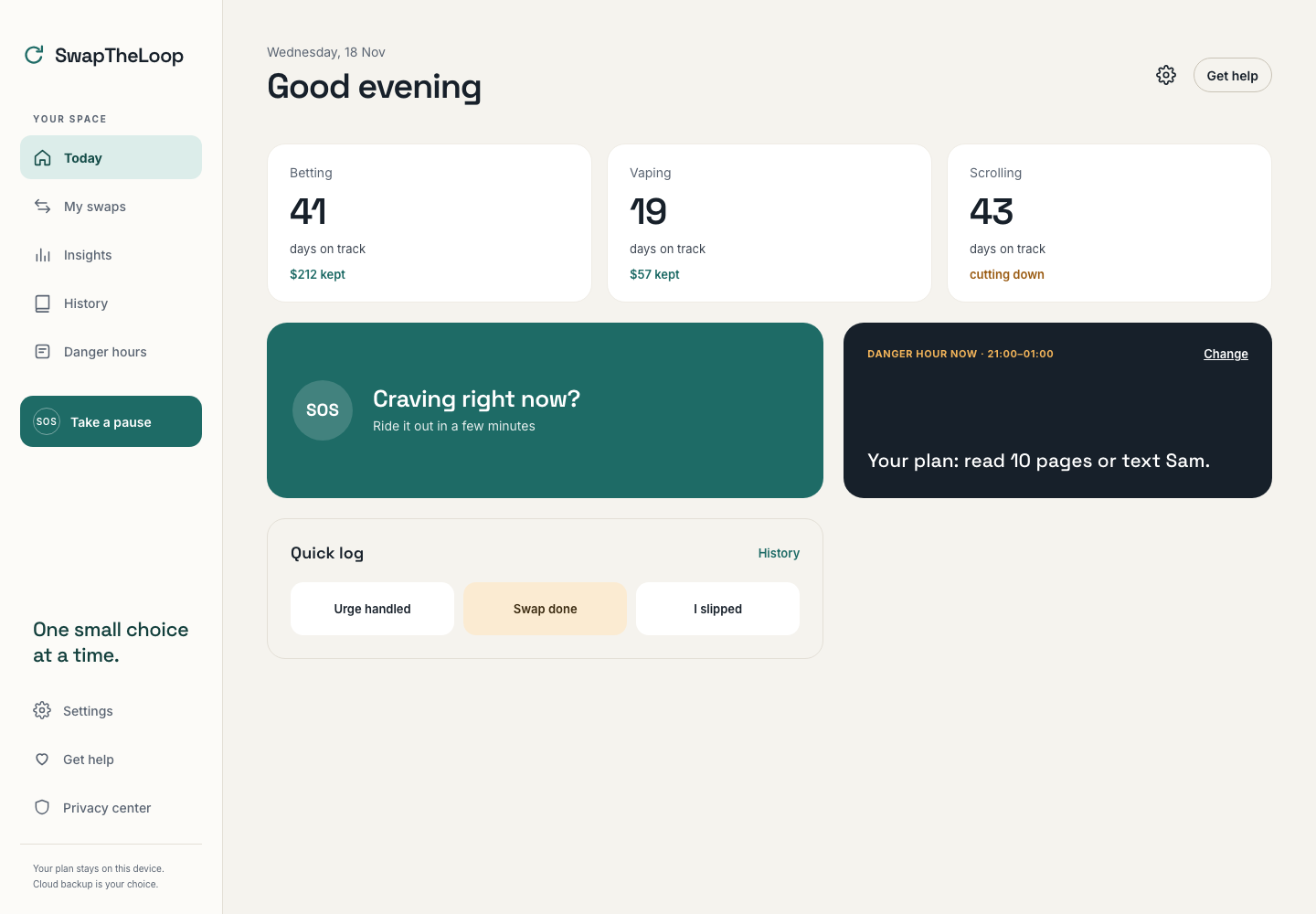
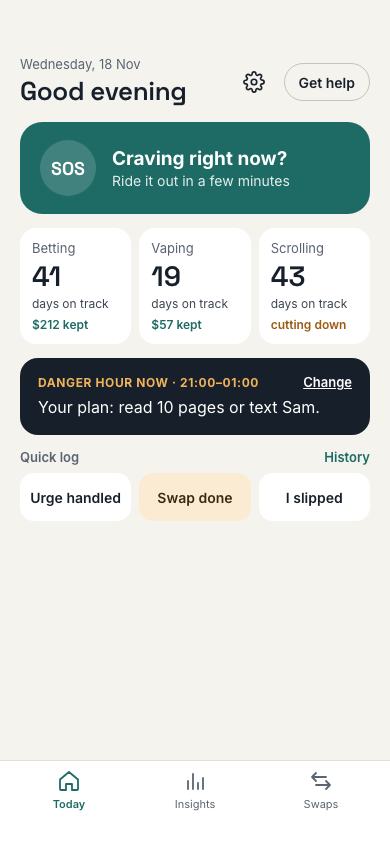
A considered layout for your phone and your desktop. Pick up the web app wherever it fits your day.
For adults 18+ · Everyday habit change
A private space to pause, understand what pulls you in, and choose a small swap. Make room for the things you want more of.
Sign-in alone does not upload your plan.
Cloud backup is a separate choice.
A pause. A plan. A different next step.
Change starts with a moment you notice. Give that moment a little space, choose something else to try, and build a day that feels more like yours.
01 / Make room for a choice
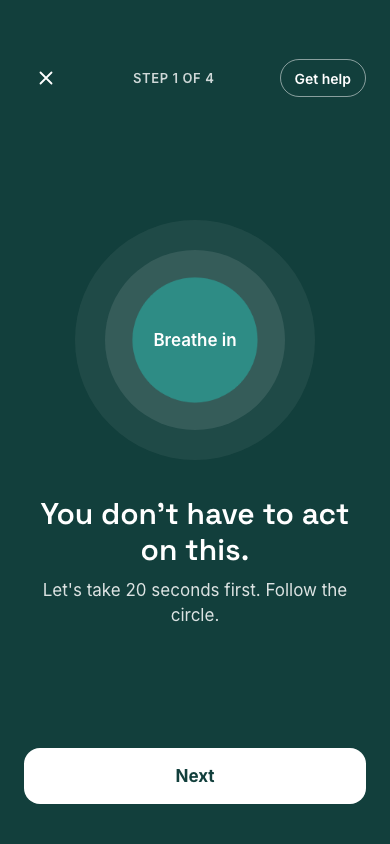
Name the moments, feelings and situations that bring the urge. Start with what you notice about yourself. The SOS flow gives you a place to pause, name the urge, ride it out, and choose a swap.
Start with a pause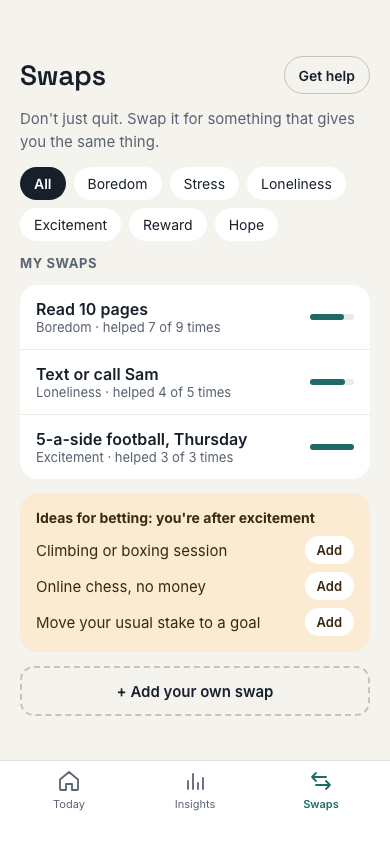
02 / Give the moment something else
Find a different activity for the same need. Save your own options so you have a next step to try. Browse activities or add your own. Keep a few manageable options ready for the moments you recognize.
Make your first plan03 / Meet the moment with a plan
Start with a situation you know well. Then choose one small action you can actually do when it comes around. Save an if-then plan for your danger hours, and open it when you need it.
You stay in control. Plans do not send reminders or block activity.
Illustrative entries · manually logged
Noticed the pull. Took a breath.
Went for a short walk.
What could help next time?
04 / Learn without the all-or-nothing
Log urges, slips and swaps yourself. Look back at your patterns and adjust your plan without wiping your history. Your insights are based on the entries you choose to record, so you can reflect on your own experience.
Designed around real life
A considered layout for your phone and your desktop. Pick up the web app wherever it fits your day.
Notice the situations behind your habits and choose what you want to work on.
Your plan and logs stay in this browser. You choose whether to enable cloud backup.
Record what happened and make a next-step plan. Your history does not get wiped.
Different habits. A familiar loop.
A few things to know
Make a self-help plan for habits such as gambling, gaming, scrolling, drinking or vaping. You choose a habit, notice what pulls you in and decide what to try instead.
Yes. Sign in with Google to use the app. Your plan stays in this browser unless you separately choose cloud backup.
Signing in alone does not upload or sync your plan. Optional cloud backup needs separate consent and stores a copy that the service operator can access.
No. You open the app when you need a pause, choose your own swaps, and log what happened yourself. It does not block websites or apps, track screen time, or send plan reminders.
Yes. Use the same web app on a phone, tablet or desktop. Each browser keeps its own local plan; optional account-based cloud backup and recovery is a separate choice.
Swap the Loop is self-help for adults 18+, not a medical service. Get help is always available in the app, and the onboarding safety check helps point you toward support when you need it.
You choose what comes next
Sign in with Google to create or open your plan.
Your space, your choice
Your plan and logs stay in this browser by default. Google sign-in alone does not upload them. Optional cloud backup needs separate consent and stores a copy that the service operator can access.
Read the app privacy policy